
Fantasy Football on the screen
How to download and install Fantasy Football
Use the button on this page to download the Fantasy Football game. The file is an Android APK, 34MB, version 1.1.6.
Download Fantasy Football
Tap the button on this page. It opens the address where the APK is.
Save the Fantasy Football APK
Wait until the phone has finished saving the APK, then open that file.
Allow the Fantasy Football install
If the phone asks about an unknown source, allow this install once, following the system prompt.
Open the Fantasy Football app
When the install finishes, open the app from the home screen, then register an account as the next section says.
How to register for Fantasy Football
Open registration for Fantasy Football
After you open the app, tap Register. Do not submit the form twice.
Enter your mobile number for Fantasy Football
Use your own mobile number to receive the code, then set a login password.
Check the account, then open Fantasy Football
Check that the account is open, then choose the game you want to play.
How to log in to Fantasy Football
Log in to Fantasy Football with your mobile number
If you already have an account, tap Log in. Enter the mobile number and password you used when you registered.
If you forget the Fantasy Football password
Tap Forgot password. Use the same mobile number to receive a code, then set a new password. Do not submit it twice.
Fantasy Football details
| Game | Fantasy Football |
|---|---|
| Category | Casual |
| Version | 1.1.6 |
| APK size | 34MB |
| System | Android |
| Language | English and Hindi. You switch them inside the app. |
| Age | 18+ |
| Price | Fantasy Football is free to download |
What Fantasy Football is like
- Choose a match or a Contest first, then make your own side.
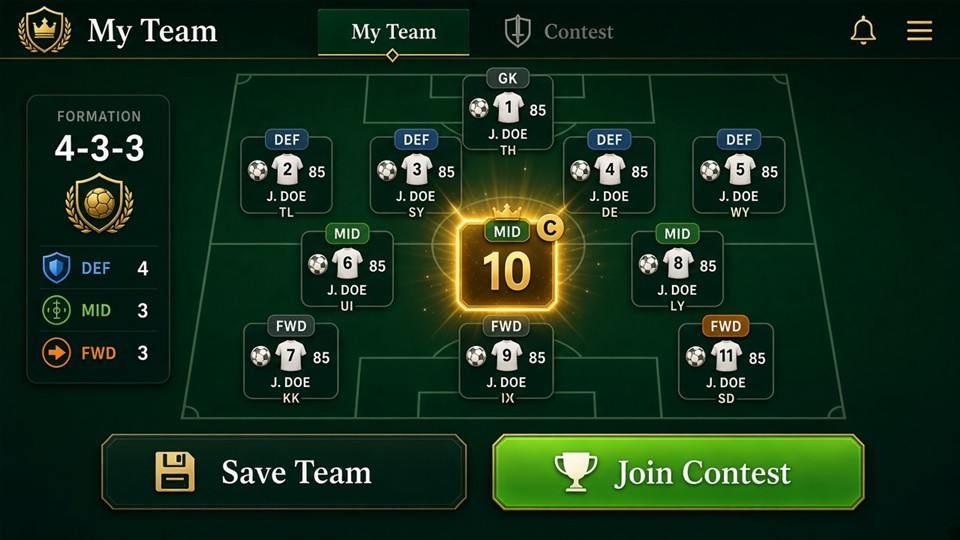
- The side needs all eleven: goalkeeper, defenders, midfielders, and forwards. How many of each is on this table's formation.
- Each player has a price. The side's total price cannot go over the cap written on this table.
- You name a captain and a vice-captain. How their points are multiplied is on this table.
- Lock the line-up before the match starts. After it starts, you cannot change this match's players.
- Players add points from how they perform in the real match. When the match is over, the places follow the total points.
Why play Fantasy Football
Fantasy Football may appeal to players who like making a side first, then watching how they play. Picking players, tapping a captain, and entering a Contest are clear steps.
After you enter, first decide which match this one is for. When the players are complete and the captain is set, tap to join.
How to play Fantasy Football
-
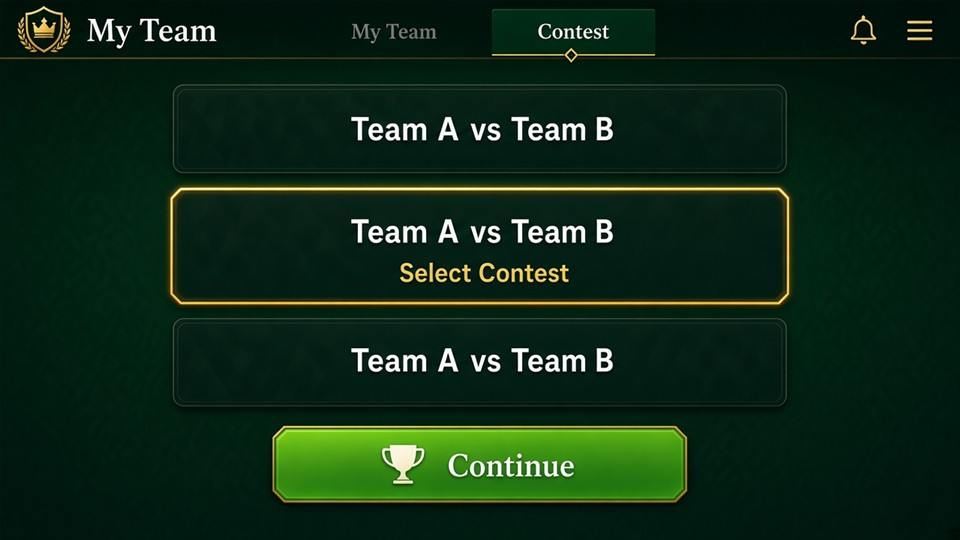
Choose a Contest first
Once you are in Fantasy Football, first choose the match or Contest this round is for. The amount and the number of people are on this table, and this page does not state them.
Choose this match first -
Add players by position
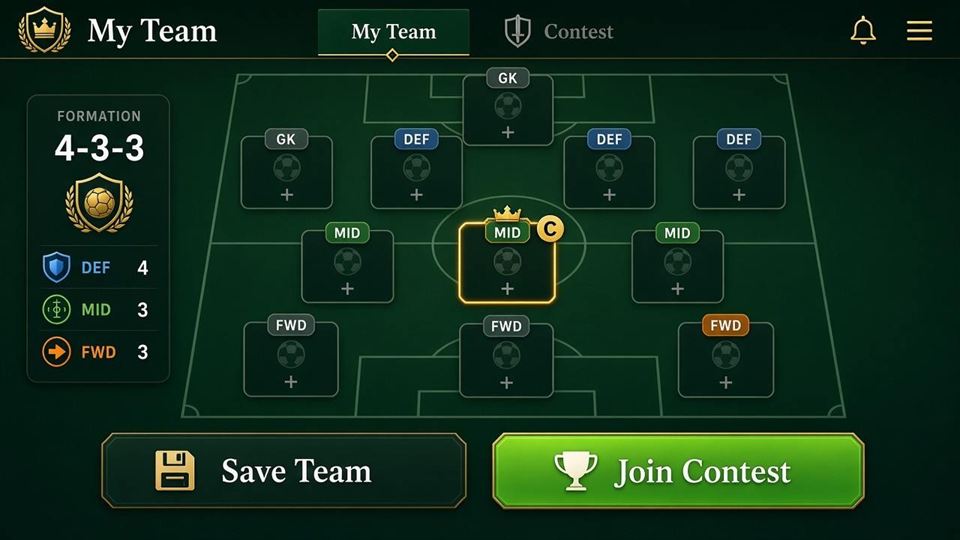
Open My Team and fill the empty cells by GK, DEF, MID, and FWD. Tap each cell once and pick one player.
Fill the empty cells to eleven -
Set the captain and vice-captain
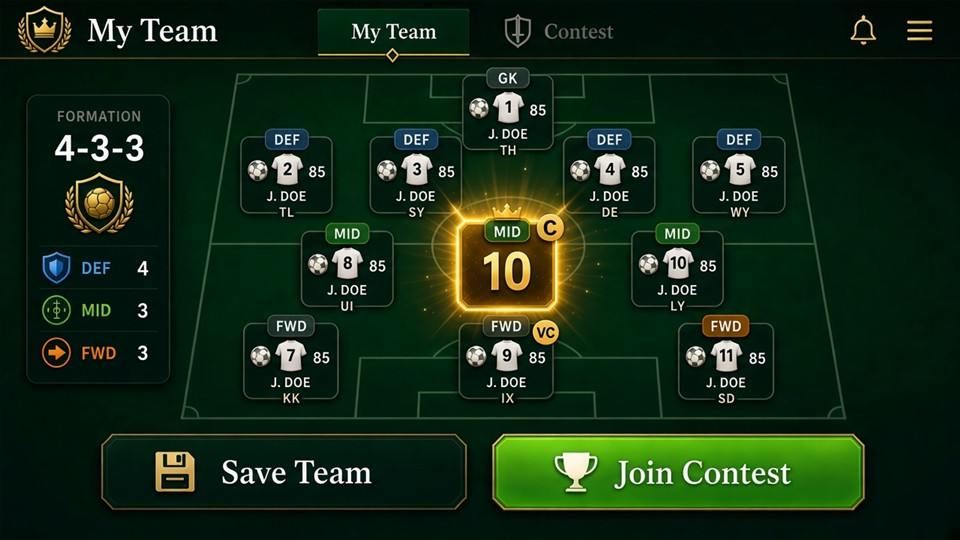
From the players you have picked, tap a captain (C) and a vice-captain (VC). If both are not set, you usually cannot enter a Contest.
Both C and VC have to be set -
Save, then join
Tap Save Team to store the side, then tap Join Contest. Before the match starts you can still change it the way this table's rules say. After it starts, it is locked.
-
Wait until the result is finished
When the real match is over, points are added the way this table's rules say. When the places are set, this round ends.
Playing Fantasy Football well
What to do
- First set how many each position in the formation needs, then pick players. If one position is short, the side is not complete.
Fill it by position - Choose as captain someone more likely to play in this match and to have a performance. The C mark has to be visible.
Set C first - Pick a few from both sides of the same match. Do not put all eleven on one club.
- Before the match starts, look again for an empty cell, and for C and VC.
What not to do
- Do not tap Join Contest while a cell is still empty. In the picture a forward cell is empty and crossed out.
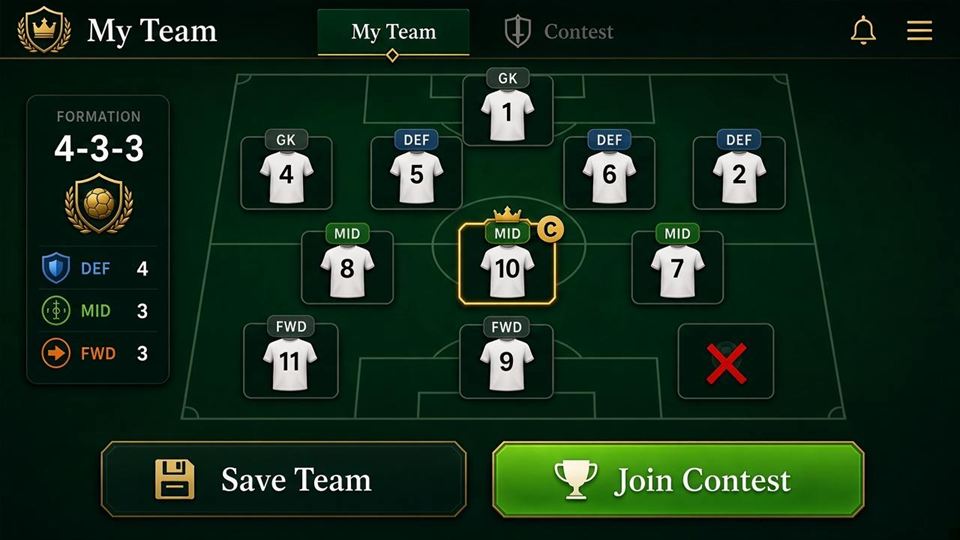
Fill the empty cells first - Do not enter without setting a captain. Both C and VC have to be set.
- Do not force a save when the total price is over this table's cap. If it is over, it will not save. Read the note on this table.
- Do not try to change the side after the match has started. After it locks, this match cannot be changed.
- Do not make captain someone you already know will not play. If they do not play, they do not add points.
Rules of Fantasy Football
- Contest and the match
-
- First choose a Contest, or a match you are entering.
- One Contest belongs to the match this table names.
- The line-up
-
- You must fill all eleven.
- The numbers of goalkeepers, defenders, midfielders, and forwards follow this table's formation.
- The same player cannot be picked into the side twice.
- Price
-
- Each player has a price.
- The total price of the eleven cannot go over this table's cap.
- Captain and vice-captain
-
- You must name one captain and one vice-captain.
- The captain and the vice-captain must be players already in the side.
- How the points are multiplied is on this table.
- Locking
-
- Before the match starts, you can change the side the way this table's rules say.
- After the match starts, the line-up is locked, and you cannot change players.
- Points and when it ends
-
- Players add points from how they perform in the real match. How they are added is on this table.
- When the match is over and the points are all added, the places follow the total.
- How the places share the reward is on this table.
- What does not count
-
- If the side still has an empty cell, it does not count as a complete line-up.
- Without a captain or a vice-captain, you cannot enter a Contest.
- If the total price is over the cap, you cannot save.
- Each round stands alone
-
- The side and the points from the last match are not carried into the next Contest.
- If you change match, pick the players again for the new match, or adjust them the way this table's rules say.