
Dragon vs Tiger on the screen

How to download and install Dragon vs Tiger
Use the button on this page to download the Dragon vs Tiger game. The file is an Android APK, 34MB, version 1.1.6.
Download Dragon vs Tiger
Tap the button on this page. It opens the address where the APK is.
Save the Dragon vs Tiger APK
Wait until the phone has finished saving the APK, then open that file.
Allow the Dragon vs Tiger install
If the phone asks about an unknown source, allow this install once, following the system prompt.
Open the Dragon vs Tiger app
When the install finishes, open the app from the home screen, then register an account as the next section says.
How to register for Dragon vs Tiger
Open registration for Dragon vs Tiger
After you open the app, tap Register. Do not submit the form twice.
Enter your mobile number for Dragon vs Tiger
Use your own mobile number to receive the code, then set a login password.
Check the account, then open Dragon vs Tiger
Check that the account is open, then choose the game you want to play.
How to log in to Dragon vs Tiger
Log in to Dragon vs Tiger with your mobile number
If you already have an account, tap Log in. Enter the mobile number and password you used when you registered.
If you forget the Dragon vs Tiger password
Tap Forgot password. Use the same mobile number to receive a code, then set a new password. Do not submit it twice.
Dragon vs Tiger details
| Game | Dragon vs Tiger |
|---|---|
| Category | Card games |
| Version | 1.1.6 |
| APK size | 34MB |
| System | Android |
| Language | English and Hindi. You switch them inside the app. |
| Age | 18+ |
| Price | Dragon vs Tiger is free to download |
What Dragon vs Tiger is like
- The table is split into Dragon and Tiger. The cards are shown on the two sides. They are not dealt into a player's hand.
- Before the deal, choose a side and place this stake.
- After you tap DEAL, each side shows one card. The side with the higher points wins.
- When both cards are shown and the points are set, this round ends. The next round is a fresh choice of side.
Why play Dragon vs Tiger
For players who like choosing a side first, then watching two cards come up, Dragon vs Tiger may be a good fit. Dragon is one side and tiger is the other, and the points are easy to match.
A round is short. While the cards are not all shown, this round has not produced a result.
How to play Dragon vs Tiger
-
Look at both sides first
When you sit at this table, look at Dragon on the left and Tiger on the right first. How the points are compared follows the notes on this table.

Look at both sides first -
Choose a side
Before the deal, choose which side this stake goes on. The stake is on that table, and this page does not state it.
-
Tap DEAL
Look carefully, then tap. Once you tap, this round starts to deal.

Tap DEAL -
Wait until both sides are shown
While the cards are not all shown, this round is not over. You match the points only when both sides are shown.
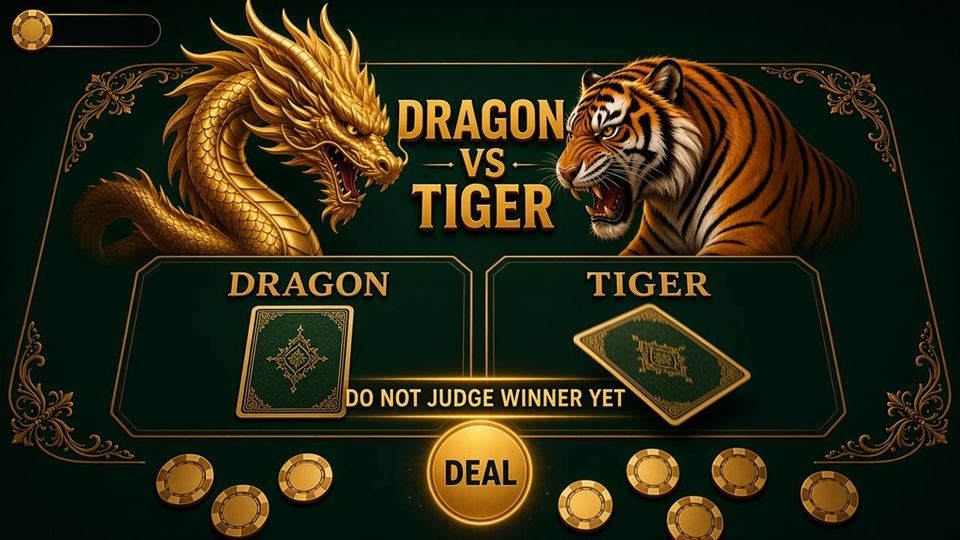
Not all shown yet -
Match the points on both sides
The side with the higher points wins. If the side you backed wins, this table settles it. If you did not back it, this stake pays nothing.

Match the points -
Start the next round
When this round ends, choose a side again if you want to continue. The last round's cards do not stay.
Playing Dragon vs Tiger well
What to do
- Set the side and the stake before the deal. Once you tap DEAL, you cannot change this round.
Set the side first - Match the points only after both sides are shown. When only one side is shown, the result is not out yet.
- Finish looking at this round before you start the next one. Do not add the cards from two rounds together.
What not to do
- Do not try to change side after you have tapped DEAL. After the deal starts, this round is already set.
Do not change it during the deal - Do not treat this round as already won when only one side is shown. You match the points only when both sides are shown.
- Do not take last round's Dragon as if it will win this round. Each round is dealt on its own.
- Do not treat the dragon and tiger decoration on the table as cards. Only the cards shown on the two sides count.
Rules of Dragon vs Tiger
- The two sides
-
- The table is split into Dragon and Tiger.
- The cards are shown on the two sides. They are not dealt into a player's hand.
- Choosing a side
-
- Before the deal, choose which side this stake goes on.
- After you tap DEAL, you cannot change side for this round.
- The deal
-
- Tap DEAL, and each side shows one card.
- Compare the points only after both sides are shown.
- Comparing the points
-
- The side with the higher points wins.
- How the points are ordered, and how they are counted, is in the notes on this table.
- This page does not state the point value assigned to each card.
- The same points
-
- If both sides have the same points, it is handled according to this table's rules.
- Whether there is a separate tie choice is on that table.
- Stake
-
- You change it before the deal.
- After you tap DEAL, the stake for this round is already set.
- The stake is on the buttons on that table. This page does not state it.
- The next round
-
- When you start another round, you choose the side again.
- The side that won last round does not mean it will win the next round.
- A similar game
-
- On this site there is also Dragon Tiger, the names are close, and each page is the one to follow.