IND Rummy on the screen
How to download and install IND Rummy
Use the button on this page to download the IND Rummy game. The file is an Android package, 34MB, version 1.1.6.
Download IND Rummy
Tap the button on this page. It opens the address where the APK is.
Save the IND Rummy APK
Wait until the phone has finished saving the APK, then open that file.
Allow the IND Rummy install
If the phone asks about an unknown source, allow this install once, following the system prompt.
Open the IND Rummy app
When the install finishes, open the app from the home screen, then register an account as the next section says.
How to register for IND Rummy
Open registration for IND Rummy
After you open the app, tap Register. Do not submit the form twice.
Enter your mobile number for IND Rummy
Use your own mobile number to receive the code, then set a login password.
Check the account, then open IND Rummy
Check that the account is open, then choose the game you want to play.
How to log in to IND Rummy
Log in to IND Rummy with your mobile number
If you already have an account, tap Log in. Enter the mobile number and password you used when you registered.
If you forget the IND Rummy password
Tap Forgot password. Use the same mobile number to receive a code, then set a new password. Do not submit it twice.
IND Rummy details
| Game | IND Rummy |
|---|---|
| Category | Card games |
| Version | 1.1.6 |
| APK size | 34MB |
| System | Android |
| Language | English and Hindi. You switch them inside the app. |
| Age | 18+ |
| Price | IND Rummy is free to download |
What IND Rummy is like
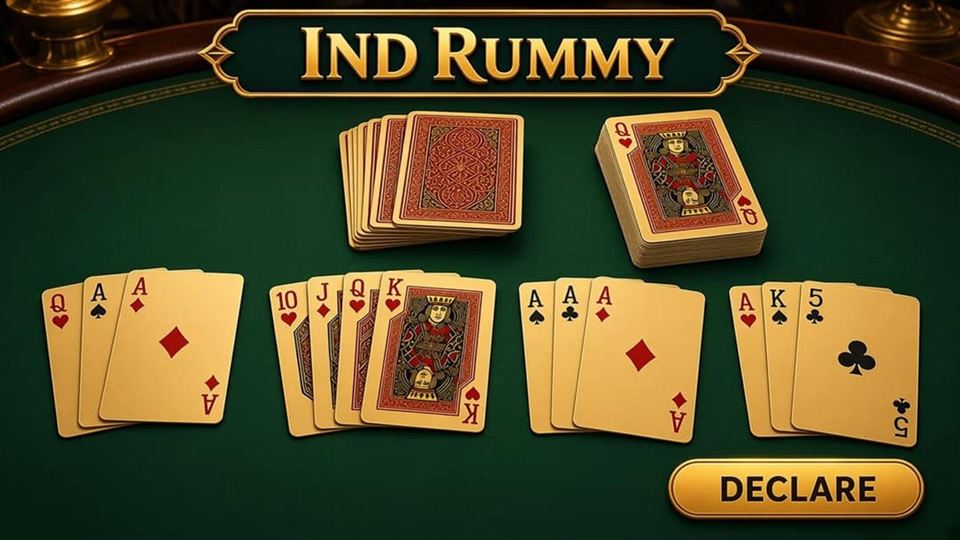
- Two piles sit at the top of the green table. The left pile is face down. The right pile is face up.
- On this screen, the top face-up card is the queen of hearts.
- The cards below are spread in several groups.
- DECLARE sits at the bottom right. When you tap it, the round stops on the layout at that moment.
- Until you tap DECLARE, the cards stay spread on the table, and the round has not stopped.
- Which group counts is on this table. This page does not state that figure.
Why play IND Rummy
IND Rummy is likely to suit players who like to spread the cards in groups, then choose the moment to stop. Your eyes stay on the two piles and the groups below.
When you want to stop, you tap DECLARE yourself. Until you tap it, the round has not ended.
How to play IND Rummy
Look at the two piles first
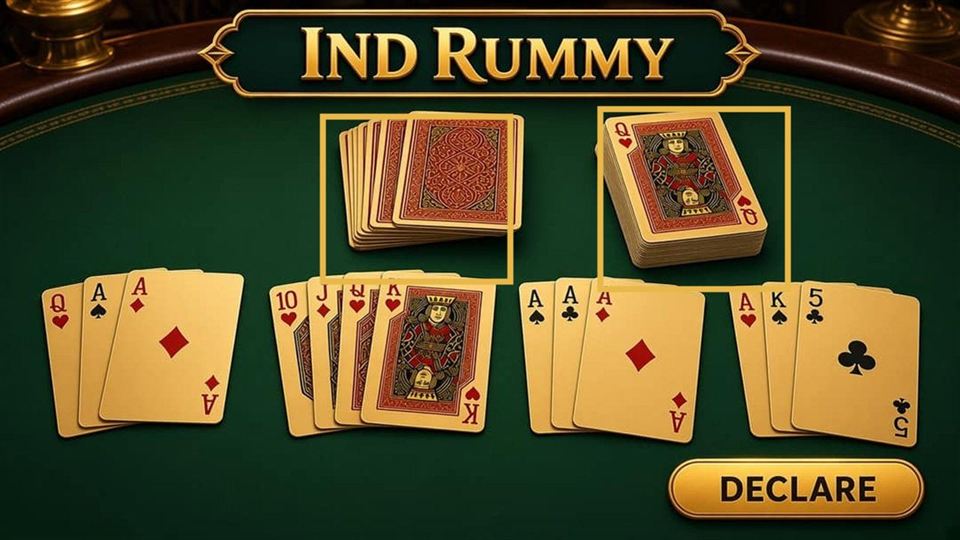
When you enter the room, look at the two piles on the table. The left pile is face down. The right pile is face up, and on this screen the top card is the queen of hearts.
Look at the two piles first Look at the middle group
Then look at the framed group. From left to right it is the 10 of hearts, the jack of diamonds, the queen of hearts, and the king of hearts. Whether it counts is on this table. This page does not state that figure.
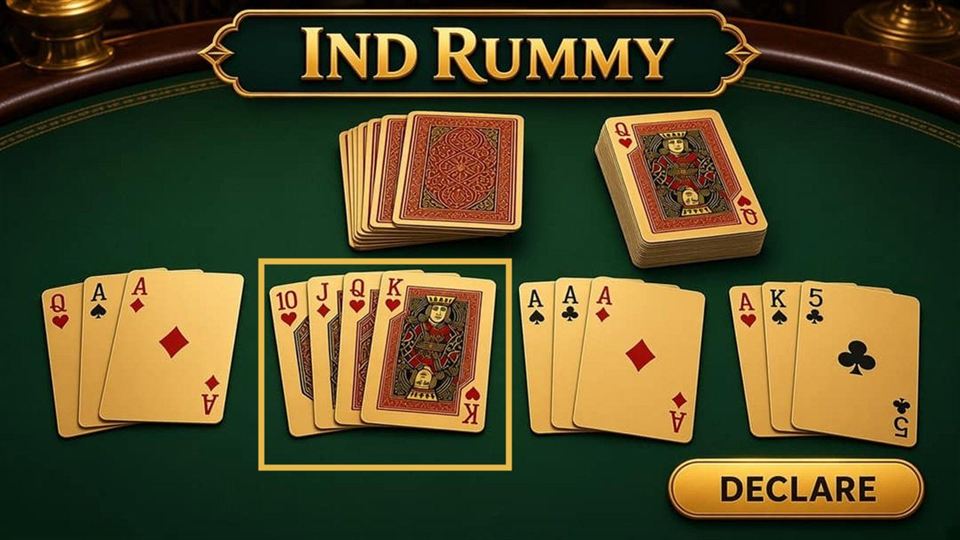
This group Tap DECLARE
After you have looked, tap DECLARE at the bottom right. When you tap it, the round stops on this layout.
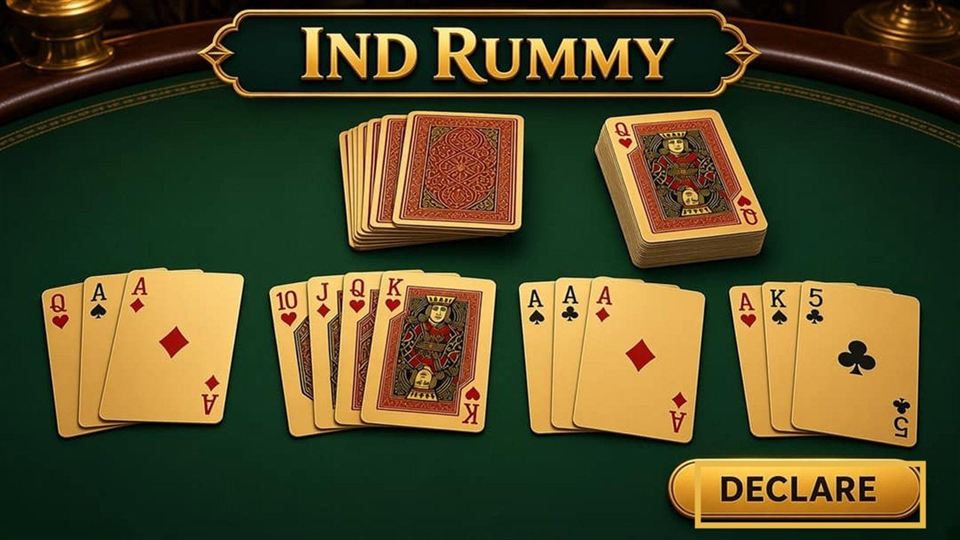
Tap DECLARE It stops when you tap
The round stops on the cards at the moment you tap. The frame still holds the 10 of hearts, the jack of diamonds, the queen of hearts, and the king of hearts, and the button still says DECLARE.
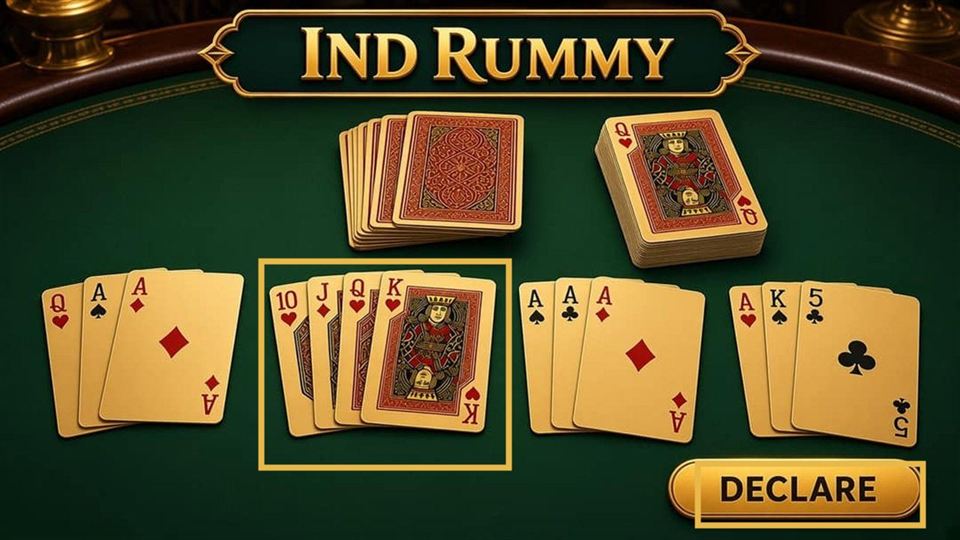
Stopped on this layout
Playing IND Rummy well
What to do
- Look at the top face-up card first, then at the groups below. On this screen the top card is the queen of hearts.
Look at the queen of hearts first - Look through the middle group before you tap. The frame holds the 10 of hearts, the jack of diamonds, the queen of hearts, and the king of hearts.
Look through this group first - Read the word on DECLARE, then decide whether to tap. When you tap it, the round stops.
What not to do
- Do not tap DECLARE before you have looked through this group. The group is still the 10 of hearts, the jack of diamonds, the queen of hearts, and the king of hearts. A red cross sits on the top-right of the button, and the word DECLARE is still there.
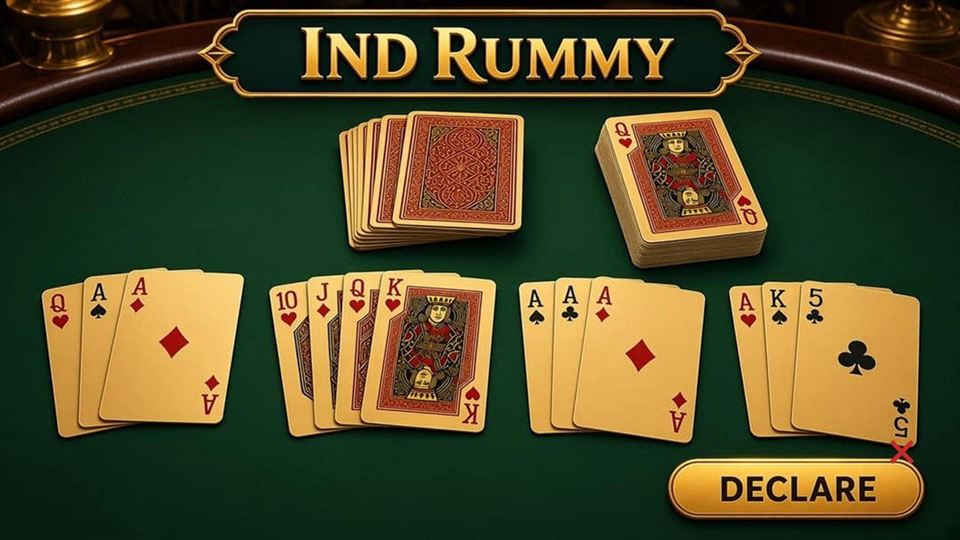
Leave it for now - Do not treat the ace of hearts, the king of spades, and the 5 of clubs on the far right as ready to declare. A red cross sits on the top-right of the 5 of clubs, and the ranks are still visible. All three cards are still there.
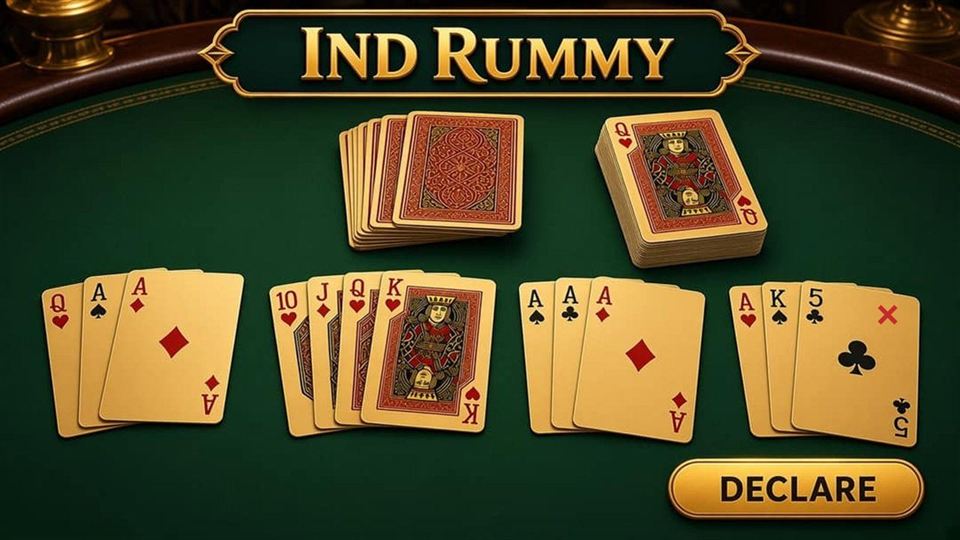
Leave these three until you have looked - Do not treat the round as finished before you tap DECLARE. Until you tap, the cards stay spread on the table.
Rules of IND Rummy
- The two piles
- Two piles stay on the table.
- One pile is face down.
- One pile is face up.
- The top face-up card
- On this screen, the top face-up card is the queen of hearts.
- The next hand follows the card this table shows at that moment.
- The groups
- The cards are spread on the table in groups.
- Which group counts is on this table. This page does not state that figure.
- The middle group
- On this screen, from left to right, it is the 10 of hearts, the jack of diamonds, the queen of hearts, and the king of hearts.
- Whether it counts is on this table. This page does not state that figure.
- The group on the far right
- On this screen it is the ace of hearts, the king of spades, and the 5 of clubs.
- Whether it counts is on this table. This page does not state that figure.
- DECLARE
- The button sits at the bottom right.
- When you tap it, the round stops on the layout at that moment.
- Until you tap, the round has not stopped.
- The stake
- This page does not write the number for this table.
- Look at the screen after you enter this table. This page does not state that figure.
Games related to IND Rummy
 Rummy49.15 lakh downloads₹159 when you register
 Teen Patti26.50 lakh downloads₹85 when you register
 Mendikot47.62 lakh downloads₹88 when you register
 Dehla Pakad27.16 lakh downloads₹102 when you register
 Lucky 739.20 lakh downloads₹131 when you register
 Literature14.76 lakh downloads₹85 when you register